

Flagship · Android
MindFeast: Lock Screen
Beautiful, hand-curated content for the moments your kids reach for a screen.
Radio · AI
walkietalk lets you talk to an AI agent from a walkie-talkie, and hear the answer back over the radio.
Open source (MIT) Runs on Linux Signal and WhatsApp messaging optional
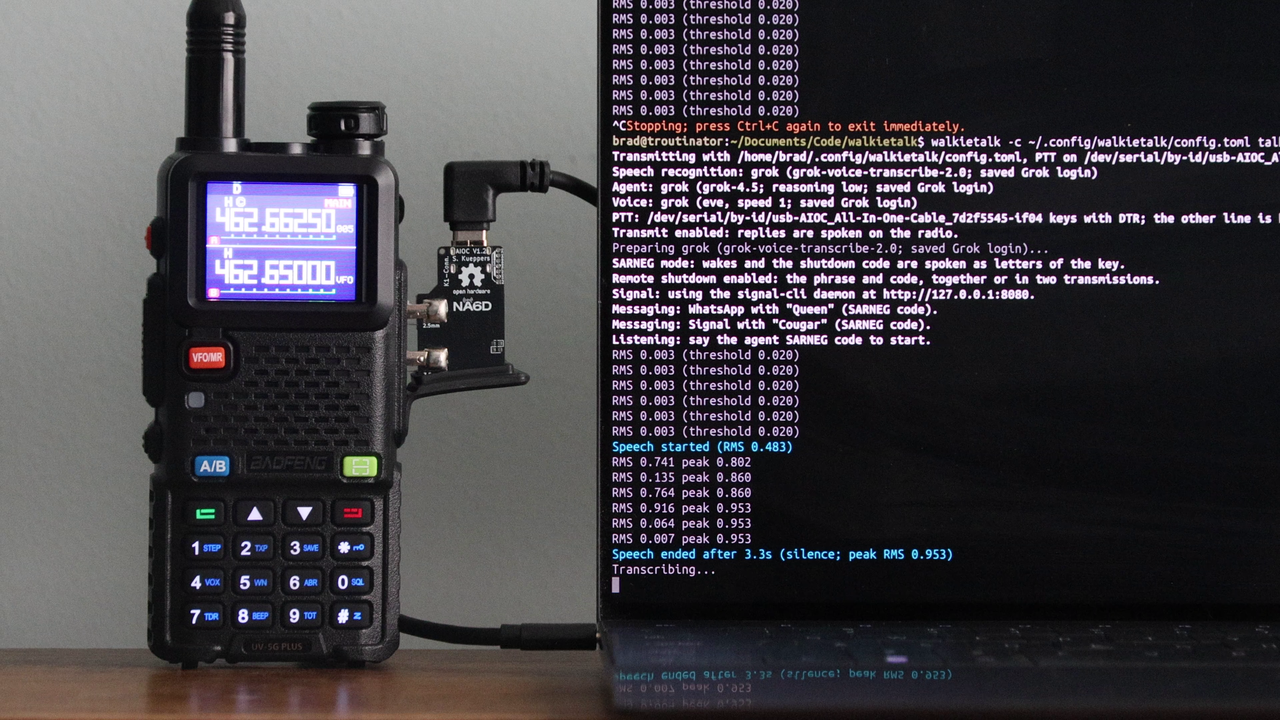
walkietalk is a small program that connects a two-way radio to a Linux computer. You hold the talk button on a handheld radio, say a wake phrase you chose, and ask a question. The computer hears you, sends the question to an AI agent, and speaks the answer back over the radio.
It works with several AI agents, including Grok, Codex, Hermes, and Claude. You pick one. The speech recognition and the voice are separate choices, so you can run them on your own computer or use a cloud service.
walkietalk can also send messages. Say a contact's wake phrase and your message, and walkietalk sends it as text through Signal or WhatsApp. Replies from that contact come back over the radio. Messaging is optional and can be configured to work with Signal or WhatsApp. If you turn on operator mode, every incoming and outgoing message waits for you to review and approve it at the computer first.
You need two radios, a cable kit, and a computer. The list below is the setup walkietalk is built and tested with. Other radios may need different audio or wiring settings.
A few extras are optional:
Product pages list current prices. Check them before you order.
Relay is a Grok Bot template built to help with walkietalk. Relay helps you choose and order the hardware. It explains the GMRS license and can help you fill out the FCC application, if you want one. It installs walkietalk on your Linux computer, sets it up, and runs it with you. Relay keys your radio only when you ask it to.
[PLACEHOLDER: Relay template link. Not public yet. Do not publish this section with a link until the template is released.]
If you're comfortable with a Linux terminal, the walkietalk README walks through installing, setting up, and running it. In short, you install walkietalk, run walkietalk init to create a config file, and run walkietalk devices to find the AIOC. Then you put the AIOC's names in the config and choose your wake phrase and AI agent.
Several commands check your setup without transmitting. walkietalk check confirms that the devices and AI services are ready. walkietalk talk --capture listens and prints the replies on screen, and it never keys the radio. The radio transmits only when you add --transmit.
walkietalk is open source under the MIT license. The code, the install guide, and the full configuration reference are on GitHub at github.com/bbusenius/walkietalk.
You are responsible for the rules of your radio service. walkietalk does not decide whether a transmission is permitted. On US GMRS, review the rules on licensing, station identification, and the requirement that an operator monitor the station while it transmits. A GMRS telephone connection is prohibited. Operator approval of a message is not an exception. See the FCC's GMRS page and 47 CFR Part 95, Subpart E.
We make no claims as to the legality of using this product in any way.
More from us
Flagship · Android
Beautiful, hand-curated content for the moments your kids reach for a screen.
Open source · AI agent
AI assistant to help with homeschooling tasks
MindFeast · Spelling
Spelling help for kids
Atmosphere · Education
Have your child wake to an atmosphere of education